Establishes or disconnects a Windows RAS connection, also known as Dial Up Networking. Usually this feature is used to make a connection to the Internet and then complete a task and disconnect from the Internet. For example, you can create a task to automatically connect to the Internet every morning and check e-mail.
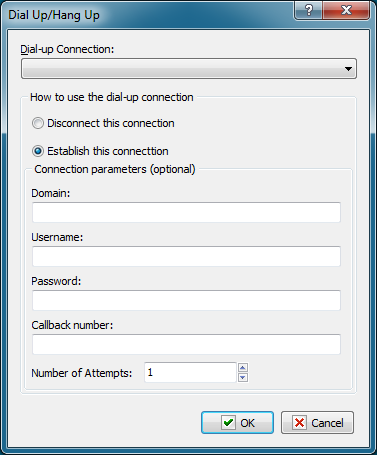
Dial-up Connection
Select the name of the dial-up connection that you want to connect or disconnect. You create this connection in the Windows Control Panel.
How to Use the Dial-up Connection
Select one of the following options to specify the action on the connection:
•Disconnect this Connection - breaks the connection to the Internet or remote network.
•Establish this Connection - connects the computer to the Internet or remote network.
Connection Parameters
Enter the following optional parameters to establish a connection:
•Domain
•Username
•Password
•Callback Number
•Number of Attempts
 Related Topics