This action simulates the rotation of the mouse wheel in addition to the Mouse Click action.
Note that very often the application response to mouse wheel rotation is different when SHIFT, CTRL, ALT keys are pressed. Therefore, it is strongly recommended to set the SHIFT-keys state to the correct position using the Shift Keys State action before executing Mouse Wheel
Please note that this action does not work in a locked session or in service mode. This is because the system ignores simulated keystrokes and mouse actions (cursor movement, button clicks) in locked sessions. This is a system security feature and cannot be changed. Therefore, if you plan to use the task independently in a system service or in a locked session, you should avoid using simulated keystrokes and mouse actions. |
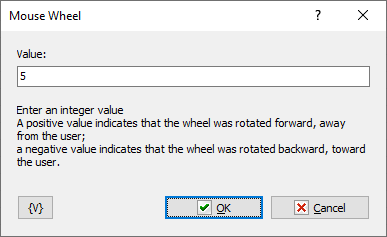
Value
Enter an integer value
•A positive value indicates that the wheel was rotated forward, away from the user;
•A negative value indicates that the wheel was rotated backward, toward the user.
 Related Topics