Exports the specified registry branch to the specified file. The saved file has a format compatible with the REGEDIT.EXE system utility. This operation is useful when you make a backup copy of some information or move settings to another computer. You can easily import the export file using REGEDIT or the Import action of RoboTask.
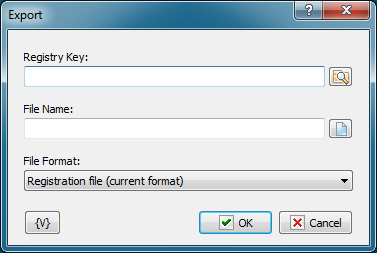
Registry Key
The key (branch) of the registry that should be exported to a file. You can use the dialog box to select the key interactively; to open it click the button to the right of the text box.
File Name
Name of the file where information should be exported.
File Format
Choose the export file format.
•Registration file (current format) - current default format for the installed operating system. For Windows 2000 and higher the format is Unicode text.
•Win9/NT4 Registration File - old format that provides compatibility with Windows 9x/NT4. This format has a structure of a regular text file.
Variable
Allows you to add a variable to the action or triggering event that you selected. You must place the cursor in a edit box in the settings dialog window of the action or event and then click the {V} button.
 Related Topics