Renames the specified key (branch) of the registry
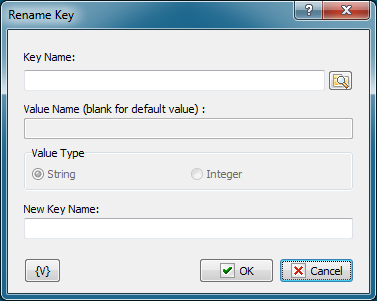
Key Name
Name of the key to be renamed. You can use the dialog box to select the key interactively; to open it click the button to the right of the text box.
New Key Name
A new name that will be given to the specified key.
Variable
Allows you to add a variable to the action or triggering event that you selected. You must place the cursor in a edit box in the settings dialog window of the action or event and then click the {V} button.
 Related Topics