Allows you to log on to an Ftp site, or remote server. For example, you can create a task to automatically Ftp updated daily reports from a co-worker's computer every day.
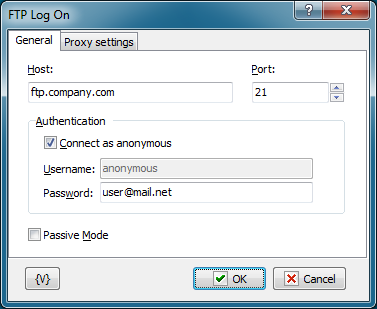
Host
Enter the name of the remote host that you want to log into.
Port
Enter the number of the port that you want to use. The default port is 21.
Authentication
Connect as Anonymous
Click this check box if the remote server allows anonymous logins.
Username
Enter the name of the log in account.
Password
Enter the password of the log in account.
Variable
Allows you to add a variable to the action or triggering event that you selected. You must place the cursor in a edit box in the settings dialog window of the action or event and then click the {V} button.
 Related Topics