Allows you to define variables for RoboTask. This command also displays a list of system variables available in RoboTask.
Variables are strings that contain information such as drive, path, or file name. Variables can control the behavior of various processes. For example, the {TEMPDIR} system variable specifies the location where processes, such as tasks or programs, place temporary files.
You can not modify System variables, but can add, modify, or remove your own variables on the User Variables tab.
The System Variables tab displays a list of the system variables.
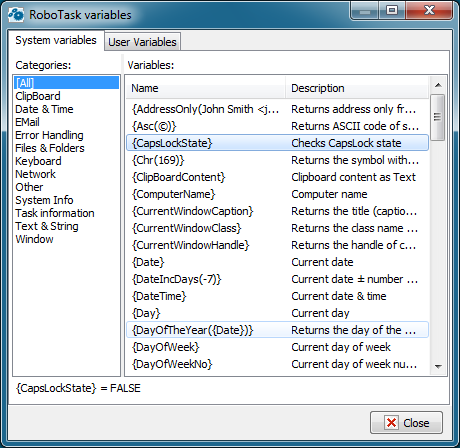
Categories
Displays a list of all the system variables and their values. You can click [All] to see a complete list or click one of the following categories:
•Date & Time
•Files & Folders
•System Info
•Window
•etc...
Variables
Displays the system variable names and their descriptions.
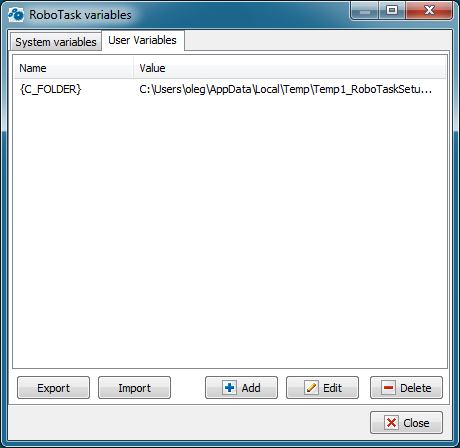
Name
Displays the name of the user variables that you create.
Value
Lists the value of the user variables that you set when you create or modify the variable.
Add
Allows you to create a new user variable to use in many tasks.
Edit
Allows you to edit the value of a variable.
Remove
Allows you to remove the selected variable.
 Related Topics