Displays a dialog box that allows a user to select computers on the local network. You can set the title of the dialog box and other settings. For example, in a task that sends a network message, you can select a computer to send a message to.
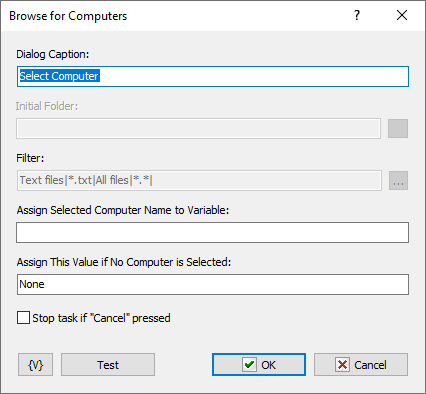
Dialog Caption
Enter the caption of the dialog box. For example, you could enter a caption "Browse Backup Server" for the dialog box.
Initial Folder
This option is not available for the Browse for Computers action.
Filter
This option is not available for the Browse for Computers action.
Assign Selected Computer Name to Variable
Enter a variable name to store the selected computer name to; for use in other actions of task.
Assign This Value if No Computer Selected
Assign a default value to store if no computer is selected.
Variable
Allows you to add a variable to the action or triggering event that you selected. You must place the cursor in a edit box in the settings dialog window of the action or event and then click the {V} button.
 Related Topics