Deletes a existing folder. For example, if you have archived your company financial reports every week for the past year, you can create a task that automatically deletes folders that are more than a year old.
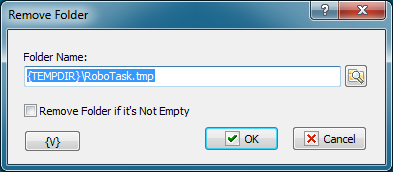
Folder Name
Enter the name of the folder that will be removed.
Remove Folder if It's Not Empty
If this option is selected, the specified folder will be deleted even it is not empty (i.e. contains files and subfolders), otherwise the specified folder will be deleted only if it is not empty (i.e. does not contain files and subfolders).
Variable
Allows you to add a variable to the action or triggering event that you selected. You must place the cursor in a edit box in the settings dialog window of the action or event and then click the {V} button.
 Related Topics