Renames a existing folder. For example, if you have copied a folder with files, you can rename the original folder.
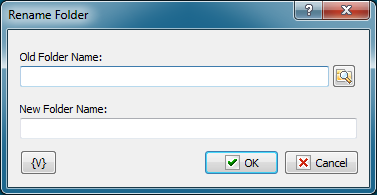
Old Folder Name
Enter the original name of the folder. You can click the browse button to select a folder.
New Folder Name
Enter the new name for the folder.
Variable
Allows you to add a variable to the action or triggering event that you selected. You must place the cursor in a edit box in the settings dialog window of the action or event and then click the {V} button.
 Related Topics