Pauses the task and waits until the selected file will be available. After the monitored file is been available, the task is resumed. If the specified file is not opened in another process at the moment when the action is due, the task is not paused.
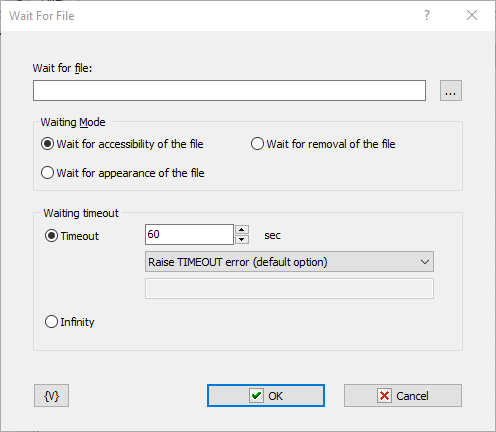
Wait for file
You can either select the file name or type its name manually.
Waiting mode
There are two modes of waiting
•Wait for Accessibility of the file
•Wait for Appearance of the fle
•Wait for removal of the file
Waiting timeout
This parameter defines the timeout in seconds to wait until the process is finished. You can also specify an infinite timeout.
If the timeout is over you can specify an action:
•Raise Timeout error - this is default option
•Set True or False to variable - in this case the task will continue work without error.
Variable
Allows you to add a variable to the action or triggering event that you selected. You must place the cursor in a edit box in the settings dialog window of the action or event and then click the {V} button.
 Related Topics